 English
 Azərbaycan
 Čeština
 Español
 Français
 Ελληνικά
 हिन्दी
 Indonesia
 Italiano
 Português
 Русский (др. страны)
 Русский (Россия)
 Türkçe
 Українська
 العربية
 简体中文
简体中文
 繁體中文
繁體中文
 日本語
日本語
 한국어
한국어
 Қазақ
Қазақ
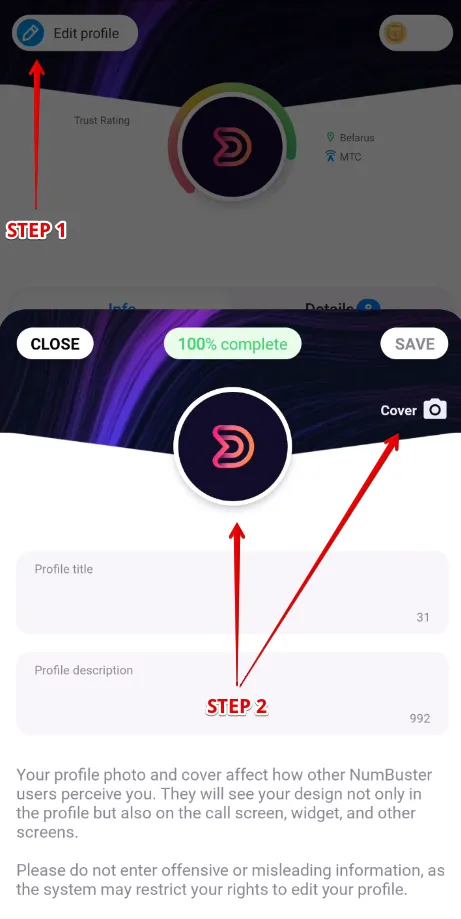
Add a photo and a cover to make your phone number page stand out. A unique profile design builds trust and provides more information to other NumBuster users.
How to Set Photo
- Open the NumBuster app and tap the Profile tab
- At the top left and tap the Edit profile button
- Tap the photo field to select an image from your device gallery
How to Set Cover
- Open the NumBuster app and tap the Profile tab
- At the top left and tap the Edit profile button
- Tap the cover field and select an image from your device gallery
 Functions


 Tariffs
 Help
Help